Guide
Two Excel files. Five minutes. Every change found.
Updated August 31, 2026
Quick answer
Old file + new file + upload = every change highlighted. Match sheets if needed, click through the change list, share a link with your approver. Free demo, runs in your browser, nothing to install.
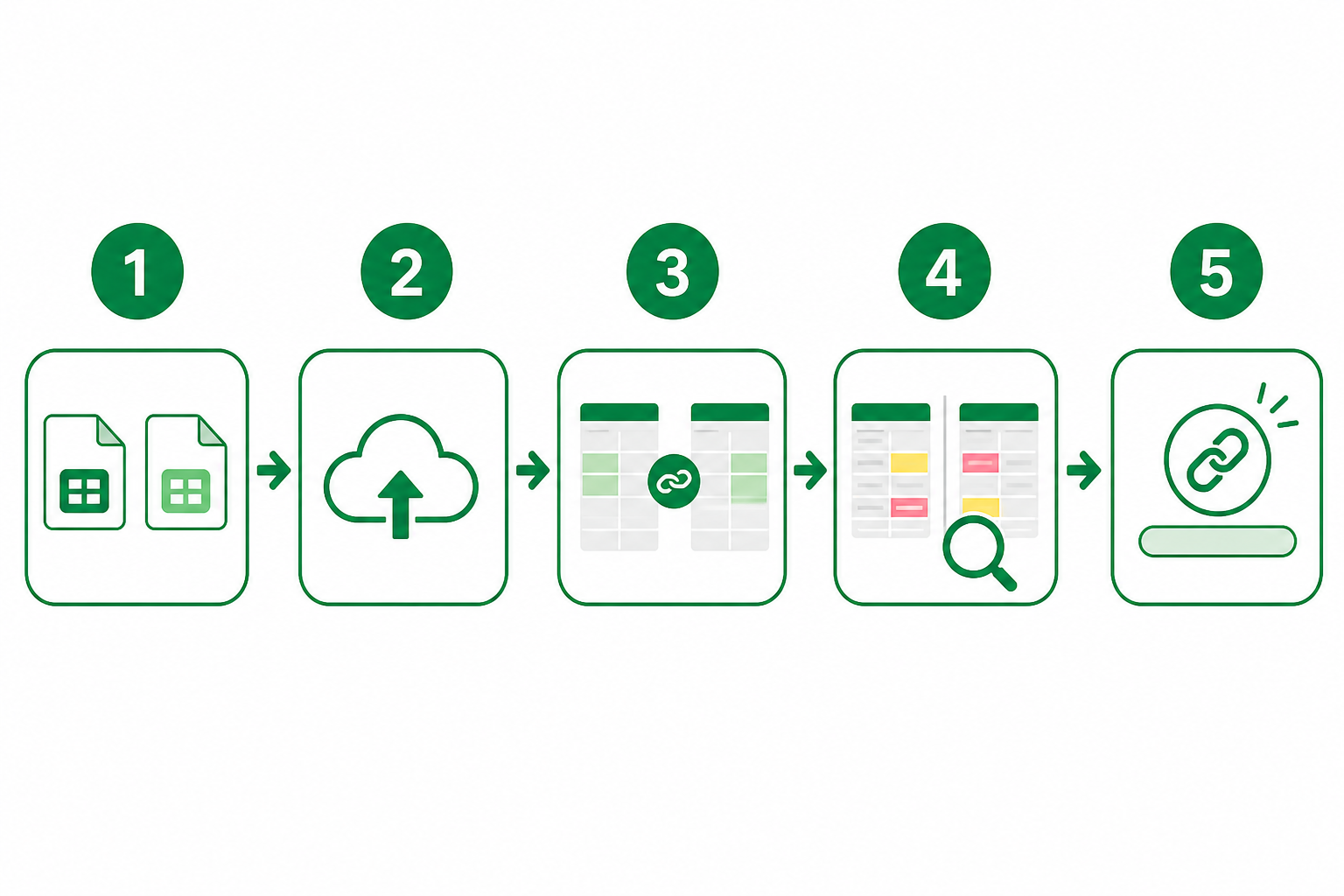
No install. No plugin. Open the demo or upload your files — we'll show you exactly what changed.
1. Grab the old file and the new file
Old = Version A. New = Version B. Tip: name files with a version number (budget_v2.xlsx), not "final_FINAL2.xlsx."
2. Upload — or try the demo first
Open the free demo to see it instantly. Or try the free demo, then choose Weekly or Yearly and upload your own .xlsx or .csv.
3. Match sheets (if you have multiple tabs)
Same sheet names? We link them automatically. Tabs renamed? Pair them manually. Paid plans compare all sheets.
4. Click through the changes
The change list is your shortcut — click any item to jump there. Check formulas and charts, not just numbers. Those are the edits that bite you later.
5. Share with whoever needs to approve
Send a read-only link. They don't need an account. AI-written summaries are available on Weekly and Yearly when you need words to go with the grid.